
The billing process at ABA clinics can be hard to keep stable. Caseloads shift, authorizations change mid-month, payer requirements vary, and billing teams get stuck fixing exceptions instead of moving claims forward.
ABA Engine’s billing software for ABA clinics helps you prevent denials earlier by using payer-specific billing rules, built-in claim audits, and cleaner exports. Your team gets a structured workflow that catches issues before submission, not after a rejection shows up.
Most billing problems are predictable: missing session data, authorization mismatches, incorrect rates, and overlapping codes. The core issue is that teams often find these problems after submission, then backtrack and scramble to fix them.
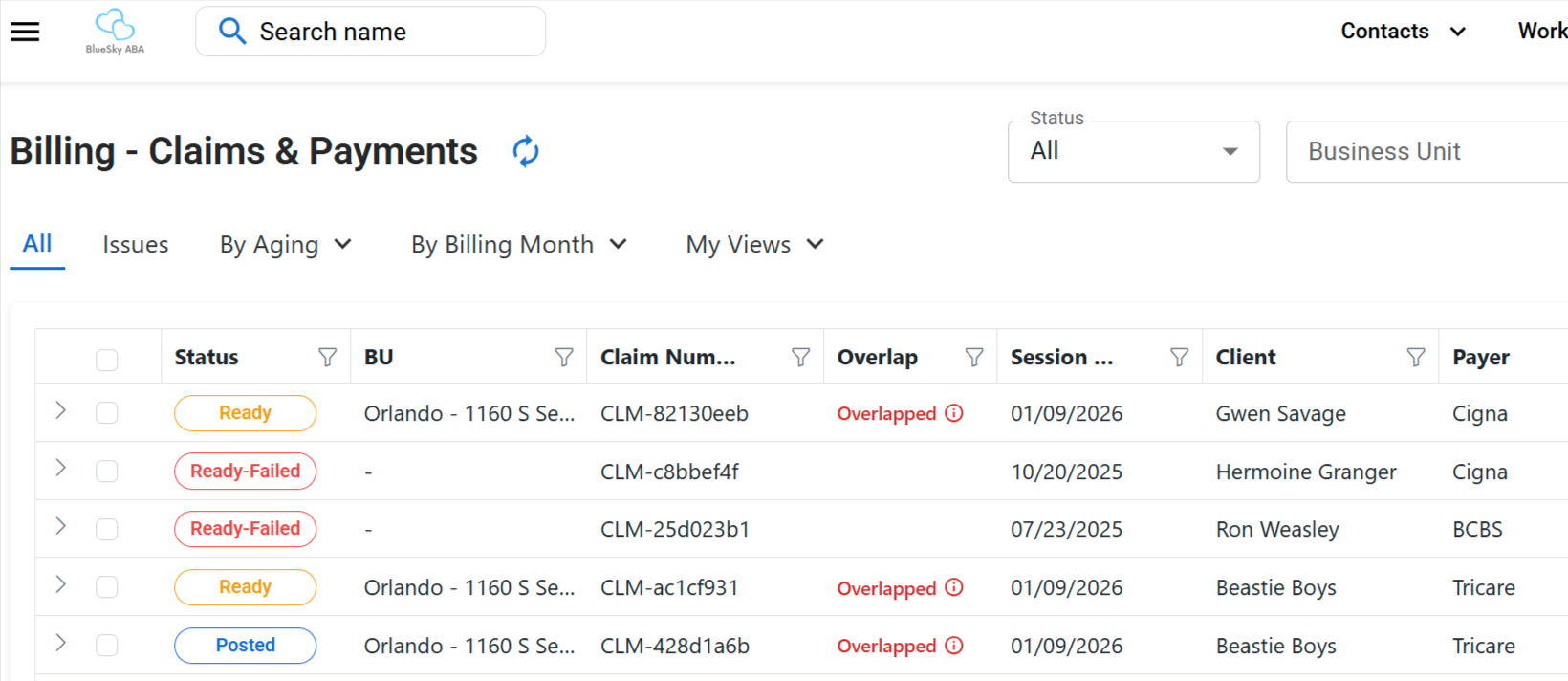
ABA Engine moves error detection upstream. When session notes are completed, they populate into a Claims View where your billing team can organize work, run audits, and export what is ready.
Each claim needs specific information so it does not fail when it runs through a clearinghouse. Our billing audits flag issues early so your team can fix problems before submission.
Set billing rules based on insurance payer and code, so billing logic reflects how a payer reimburses, not generic defaults.
Some payers allow overlaps, others do not. For payers that restrict overlaps, ABA Engine can keep scheduling flexible while billing rules control what can actually be billed.
Add contract rates by payer, and set an expiration date to remind your team when it is time to revisit rate negotiation.
Billing teams need one place to see what is happening, what is blocked, and what is ready. ABA Engine centralizes your claims workflow so staff can stop rebuilding spreadsheets and stop relying on memory to enforce payer rules.
When the session note is completed, it automatically populates in the Claims View. From there, billing can filter, sort, and review claims by aging, issues, billing month, business unit, custom dates, and status.
If your team uses the same filters every day, they can save those filters as a view and pin it, so the process stays consistent across staff and across billing cycles.
You can use audits to catch missing data and rule violations before export. This helps reduce clearinghouse failures and denials tied to preventable errors.
Export a CSV with billing information your team needs, including claim status, payer, authorization code, session dates, and more.
Some insurances will not allow certain places of service. You can control what a payer allows, and the audit can flag violations.
See how ABA Engine uses payer-specific billing rules, claim audits, overlap handling, contract rates, and exports to help your team prevent issues before submission.